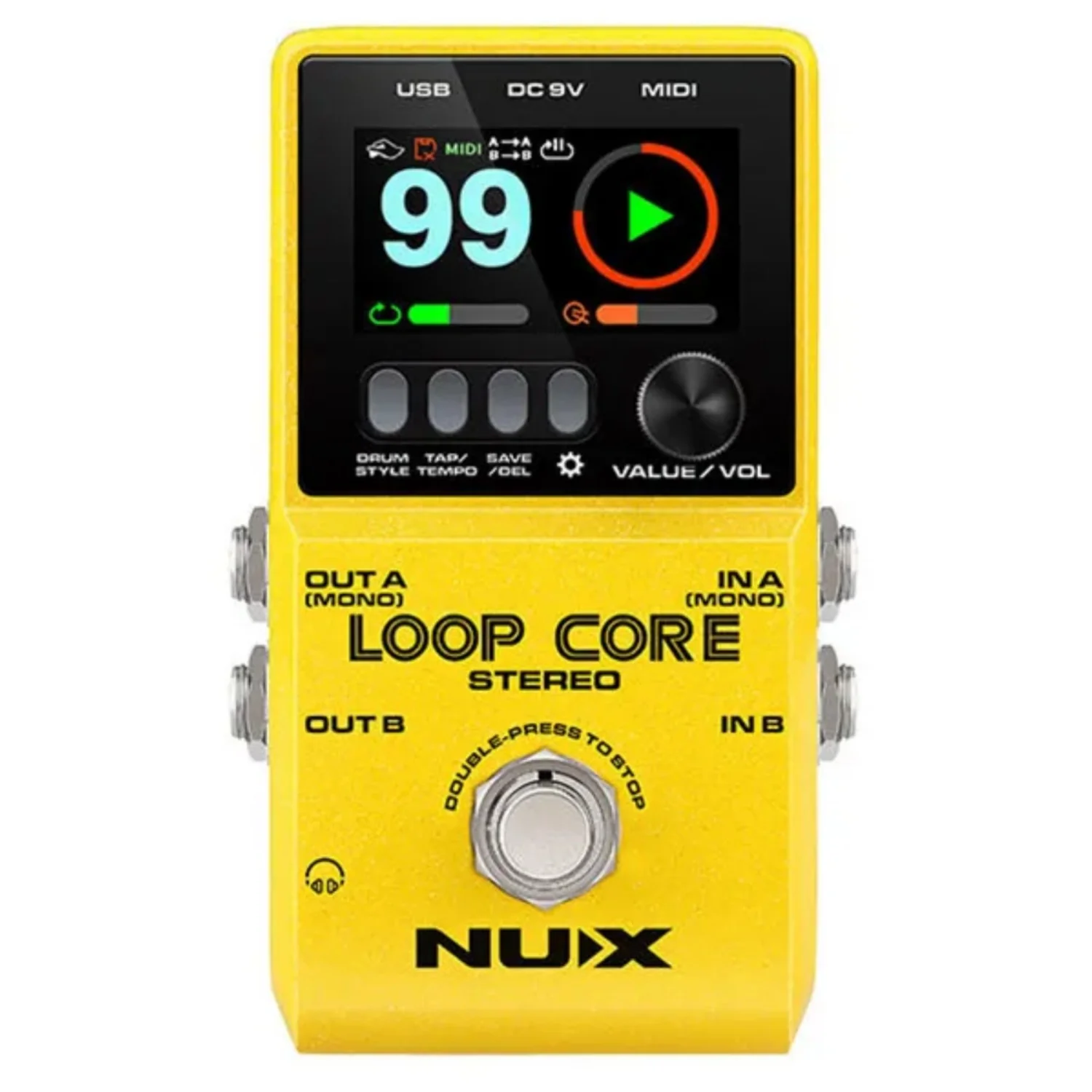
Nux NCL-2 Loop Core Stereo Effects Pedal
Nux NCL-2 Loop Core Stereo Effects Pedal Overview:
The NUX Loop Core Stereo is our next generation Looper pedal. Featuring a high-definition color LCD display, stereo inputs/outputs, and a MIDI control input; the Loop Core Stereo allows you to create up to 6 hours of music phrases, save them in one of 99 provided memory slots, and play back as stereo loops! Also included are 50 different drum patterns to complete the looping experience. Whether you practice, compose, or play live gigs, you’ll be inspired from the very first loop!
Create and save your loops
It’s easy to create loops and practice with the NUX Loop Core Stereo.
Power on the Loop Core Stereo pedal, rotate the VALUE knob to select an empty memory from 01 ~ 99, then you can press the foot switch to record/play/dub your loops. You can also hold the foot switch to UNDO/REDO/CLEAR.
MIDI Control
Nearly every parameter of the Loop Core Stereo can be controlled by an external MIDI controller, such as tap tempo, stop/start/record, and so much more. The MIDI to 1/8” cable is included to get you started quickly.
*Please download the user’s manual and check the MIDI commands.
Customize your own Boot-up picture
The Loop Core Stereo allows users to customize their own boot-up picture with a GIF.
– Connect the Loop Core Stereo to your computer and download a GIF picture to the folder: NUX LOOPER > NUX_LOOP > GIF.
– Disconnect and reboot the Loop Core Stereo, and then enter the DISPLAY setting and set the BOOT-UP PICTURE option to USER.
– Reboot the Loop Core Stereo again. Enjoy your own customized GIF interface!
How to import playback to Loop Core Stereo?
When connecting a LOOP CORE STEREO to a computer, it will show “NUX LOOPER” as a USB flash disk. Click it, and you will see folder NCL-2. Click folder NCL-2 to enter, then you will see folder WAVE. Then you can drag the target wav file into the related folder. For example, if you want to put the playback wav file into phrase loop track 3, you can just drag your target wav file into folder W003. Then you are good to go.
Note: LOOP CORE STEREO only supports 44.1kHz/32 bits Stereo floating WAV format, please download and utilize NuxFormatConverter to convert your backing track to the correct file format. Please go to the Softwares section on this page for download.
Highlights
- All new design with a high-definition color LCD display.
- Up to 6 hours recording time(Stereo).
- 99 User memories.
- Built-in rhythm tracks with 50 patterns.
- Split out for two amplifiers.
- Cab simulation for output to mixer.
- Built-in MIDI control.
Specifications:
- Sampling Frequency: 44.1KHz
- AD converter: 24bit
- Signal Processing: 32bit
- Frequency response: 20Hz-20KHz
- Noise Level: -100dBu
- Dynamic Range: 108dB
- Power Consumption: 110mA-120mA
- Input: Mono, Stereo
- Output: Mono, Stereo, Phones
- Display: TFT color LCD display
- Power: 9V negative tip power adapter
- Dimensions: 122(L)72(W)*48(H)mm
- Weight: 264g
Original: $9,804.00
-70%$9,804.00
$2,941.20Product Information
Product Information
Shipping & Returns
Shipping & Returns
Description
Nux NCL-2 Loop Core Stereo Effects Pedal Overview:
The NUX Loop Core Stereo is our next generation Looper pedal. Featuring a high-definition color LCD display, stereo inputs/outputs, and a MIDI control input; the Loop Core Stereo allows you to create up to 6 hours of music phrases, save them in one of 99 provided memory slots, and play back as stereo loops! Also included are 50 different drum patterns to complete the looping experience. Whether you practice, compose, or play live gigs, you’ll be inspired from the very first loop!
Create and save your loops
It’s easy to create loops and practice with the NUX Loop Core Stereo.
Power on the Loop Core Stereo pedal, rotate the VALUE knob to select an empty memory from 01 ~ 99, then you can press the foot switch to record/play/dub your loops. You can also hold the foot switch to UNDO/REDO/CLEAR.
MIDI Control
Nearly every parameter of the Loop Core Stereo can be controlled by an external MIDI controller, such as tap tempo, stop/start/record, and so much more. The MIDI to 1/8” cable is included to get you started quickly.
*Please download the user’s manual and check the MIDI commands.
Customize your own Boot-up picture
The Loop Core Stereo allows users to customize their own boot-up picture with a GIF.
– Connect the Loop Core Stereo to your computer and download a GIF picture to the folder: NUX LOOPER > NUX_LOOP > GIF.
– Disconnect and reboot the Loop Core Stereo, and then enter the DISPLAY setting and set the BOOT-UP PICTURE option to USER.
– Reboot the Loop Core Stereo again. Enjoy your own customized GIF interface!
How to import playback to Loop Core Stereo?
When connecting a LOOP CORE STEREO to a computer, it will show “NUX LOOPER” as a USB flash disk. Click it, and you will see folder NCL-2. Click folder NCL-2 to enter, then you will see folder WAVE. Then you can drag the target wav file into the related folder. For example, if you want to put the playback wav file into phrase loop track 3, you can just drag your target wav file into folder W003. Then you are good to go.
Note: LOOP CORE STEREO only supports 44.1kHz/32 bits Stereo floating WAV format, please download and utilize NuxFormatConverter to convert your backing track to the correct file format. Please go to the Softwares section on this page for download.
Highlights
- All new design with a high-definition color LCD display.
- Up to 6 hours recording time(Stereo).
- 99 User memories.
- Built-in rhythm tracks with 50 patterns.
- Split out for two amplifiers.
- Cab simulation for output to mixer.
- Built-in MIDI control.
Specifications:
- Sampling Frequency: 44.1KHz
- AD converter: 24bit
- Signal Processing: 32bit
- Frequency response: 20Hz-20KHz
- Noise Level: -100dBu
- Dynamic Range: 108dB
- Power Consumption: 110mA-120mA
- Input: Mono, Stereo
- Output: Mono, Stereo, Phones
- Display: TFT color LCD display
- Power: 9V negative tip power adapter
- Dimensions: 122(L)72(W)*48(H)mm
- Weight: 264g